Kubernetes 101, part VII, jobs and cronjobs
Our previous article, we learned how DaemonSets can effectively collect data from Kubernetes nodes, allowing data to be structured and sent to appropriate tooling.
In this post, we'll delve into the topic of running a single job in Kubernetes through the use of Kubernetes Jobs.
Furthermore, we'll learn how Kubernetes enables the scheduling of jobs to be executed regularly, through the use of Cronjobs.
Job
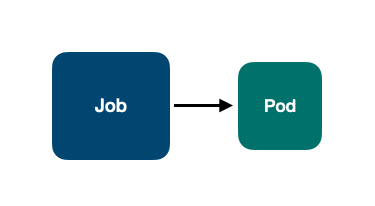
Kubernetes Job objects incorporate a Job controller that creates a Pod from the spec provided, enabling it to execute an arbitrary command.
That said, the YAML file looks like the following:
kind: Job
apiVersion: batch/v1
metadata:
name: sleeper
spec:
template:
spec:
restartPolicy: Never
containers:
- name: sleeper
image: debian
command:
We can check that the job sleeper was created:
And a Pod was started from the job created above:
After the Pod is finished successfully, it goes to the Completed status:
And the Job completions is updated to 1/1:
Below is a visual representation of how Kubernetes handles Jobs, supported by a Pod that executes the command provided:
However, not rare we have to run a job regularly.
In UNIX-like systems, a program called crontab enables to run regularly, given a syntax for scheduling, an arbitrary command. Kubernetes allows Jobs to be scheduled in the same manner, using the the crontab syntax.
Meet Kubernetes CronJobs.
CronJob
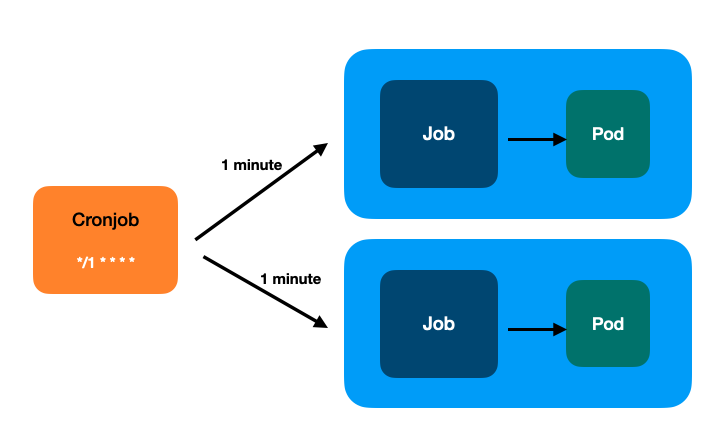
In short, a Cronjob will regularly start a new Job, from which a new Pod will be started.
Here's an illustration of how CronJobs work in Kubernetes:
Below is the YAML representation of it:
kind: CronJob
apiVersion: batch/v1
metadata:
name: sleeper
spec:
schedule: "*/1 * * * *"
jobTemplate:
spec:
template:
spec:
restartPolicy: Never
containers:
- name: sleeper
image: debian
command:
in the
schedulekey we provide the crontab syntaxthe
jobTemplateis exactly the Job specification that will run a Pod
Let's confirm that Kubernetes created a Cronjob object:
From the CronJob, a Job was created:
And a Pod was started:
After a couple of minutes, we see that the CronJob created 3 Jobs which, by the way, is the default number of Jobs that Kubernetes will keep in the cluster (we can change that number at our need successfulJobsHistoryLimit):
Therefore, each Job will start a new Pod:
Wrapping Up
This post demonstrated how to run arbitrary commands using the Kubernetes Job object.
Furthermore, we have learned that Kubernetes CronJob objects allow for the scheduling of Jobs to be executed regularly.
So far, we have covered the primary Kubernetes workload objects, namely ReplicaSet, Deployment, StatefulSet, DaemonSet, Job and CronJob.
In the following posts, we'll explore how these objects connect with each other within the cluster while also gaining an understanding of Kubernetes networking.
This post was written with the assistance of ChatGPT, which helped with some "eye candy" on grammar.